WhoSupervisors (Employees: Supervisor Y) whose Primary Menu is System, Clinician, Finance or Admin
WhereThe button
FirstLook at Waiting for my review, or click a supervisee
About
A supervisee (trainee) is an employee with you as an active Supervisor in their Relations (System › Employees › Relations). The Supervision button shows only for employees marked Supervisor.
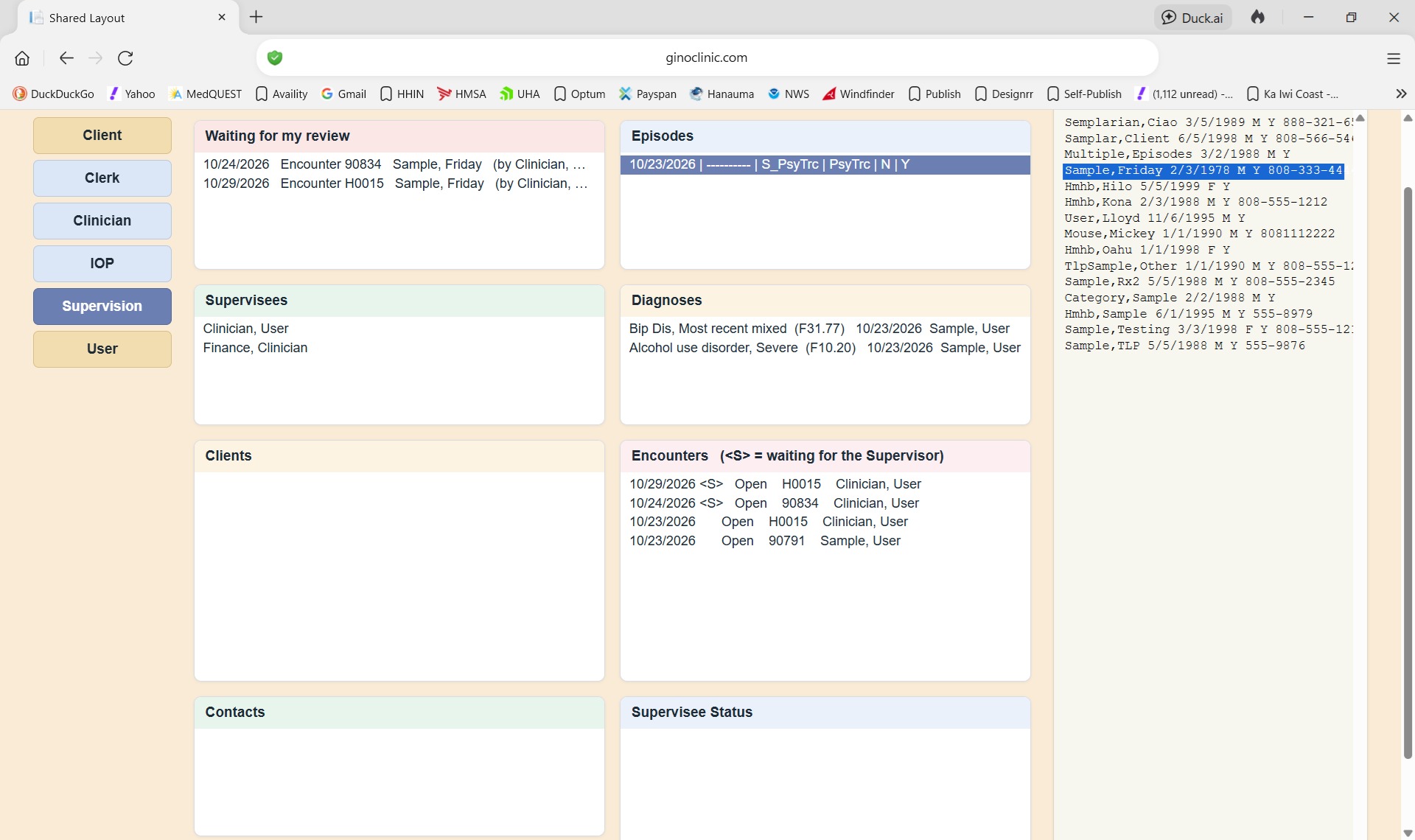
Click any line to open its menu. An empty list still has one line, so you can open its menu.
| List | What it shows | Menu |
|---|
| Waiting for my review | Your trainees' encounters and discharges waiting for you, oldest first | View Encounter · Edit Encounter (or Discharge: Enter/Edit · Discharge: View) · Refresh |
| Supervisees | The employees you supervise. Click one to fill Clients, Contacts and Status | Show All (Active and Inactive Supervisees) · Show Active Supervisees |
| Clients | Clients the supervisee saw under your supervision (active Episodes) | Show All (Active and Inactive Clients) · Show Clients with Active Episodes |
| Episodes | The client's Episodes of Care; the newest opens by itself | Refresh · View Episode · Discharge ▸ Enter/Edit · View · Print |
| Diagnoses | The Episode's diagnoses (list only) | - |
| Encounters | The Episode's encounters, newest first. <S> = waiting for the Supervisor | View Encounter · Edit Encounter · Close Encounter |
| Contacts with ... | Supervision and other contacts with the supervisee | Refresh · New / Edit / View Contact (page) |
| Status of ... | The supervisee's statuses | Refresh · New / Edit / View Status (page) |
The client follows you. A client you click here (or open from Waiting for my review) becomes the client of the main screen, so the other screens show the same client.
PsyTrace checks
- Edit and Close are refused on a Closed encounter.
- Edit / Close Encounter are dimmed on a discharged Episode.