WhoEvery user (your own Service/Department)
WhereClerk screen › Episodes list ›
Belongs toThe client
About Episodes of Care
PsyTrace treats admission to and discharge from outpatient treatment the same way as a hospital stay: all diagnoses, goals, authorizations, contacts, visits, etc. belong to the Episode between its admission and discharge dates. When a client is re-admitted after discharge, a new Episode holds the new diagnoses, authorizations and visits.
A client can have many Episodes, but only one Active Episode per Service/Department. A client can have an active Episode in Psychology and another in Psychiatry at the same time; clinicians of both may look at both, but only Psychology users add to the Psychology Episode and only Psychiatry users to the Psychiatry one. Past Episodes can be reviewed too (Past Episode(s)).
We do not recommend one single Episode for all of a client's care: the type of discharge of each Episode is an excellent outcome measure (how many clients complete treatment? how many are transferred?).
Opening a new Episode
- Click a line of the Episodes list (or No Episodes) › . (For a new client it opens by itself after the insurance.)
- Dates: Admission (the Episode date — required), Initial Contact, first date of the Illness.
- Contact & Location: the Contact/Case Manager (required, List), the Location, the Employer/School.
- Referral: Referred by (List), referral Date, Referral ID, Reason.
- Hospitalization & Work (for claims, when they apply): hospitalized From / To, unable to work From / To, Employment, Auto Accident (and its State), Other Accident.
- Click Save. The Case Manager receives a reminder. For a new client, the New Authorization form opens next.
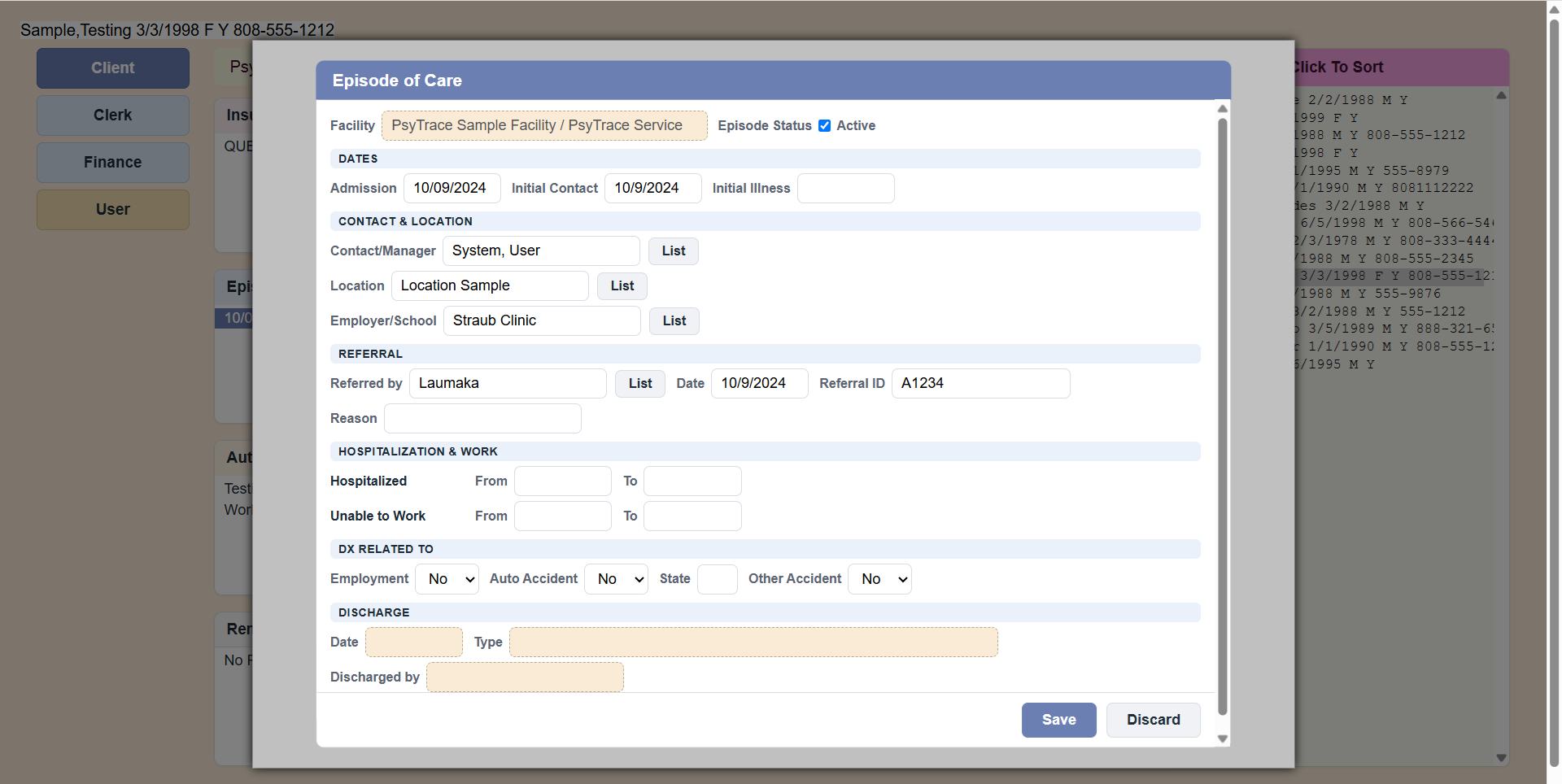 Sample Episode of Care form.
PsyTrace checks
- The Episode date and the Contact/Case Manager are required.
- One Active Episode per Service/Department: if the client already has one for your Service, New Episode says so (with its start date). Discharge it, or make it Inactive, first.
- When you change the date of an Episode, it cannot become later than its authorizations, client statuses or encounters.
- A discharged Episode is locked: Edit Episode is dimmed; View still works.
- An Episode of another Service/Department: View and Edit Episode are dimmed for you; New Episode (for your own Service) still works.
The Discharge section shows the discharge date, type and who discharged the client. The discharge itself is done by the clinician (Clinician screen › Episodes › Discharge).