WhoEvery user
Where; change it later with
ThenInsurance, Episode, Authorization follow by themselves
First: is the client already registered?
Entering a new client is, potentially, the most dangerous step. When the same person is entered twice, her/his records are split in two; a System user can merge them (), but it may become almost impossible to tell which records belong where.
- Open .
- Type only the first two letters of the last name (this gets around spelling mistakes) and untick Active clients only, so former clients are found too.
- Look for the person in the list (same birth date?). Only when you are sure she/he is not there, go on.
Registering
- Click . The screen is cleared and the Registration form opens.
- Fill in the Client section and Address & Contact (see the table below).
- Click Save. If a client with the same Last Name and Birth Date already exists, PsyTrace shows it and asks whether to file the new one anyway — check before saying yes.
- The new client becomes the current client, and the next forms open one after the other: see New Client Checklist.
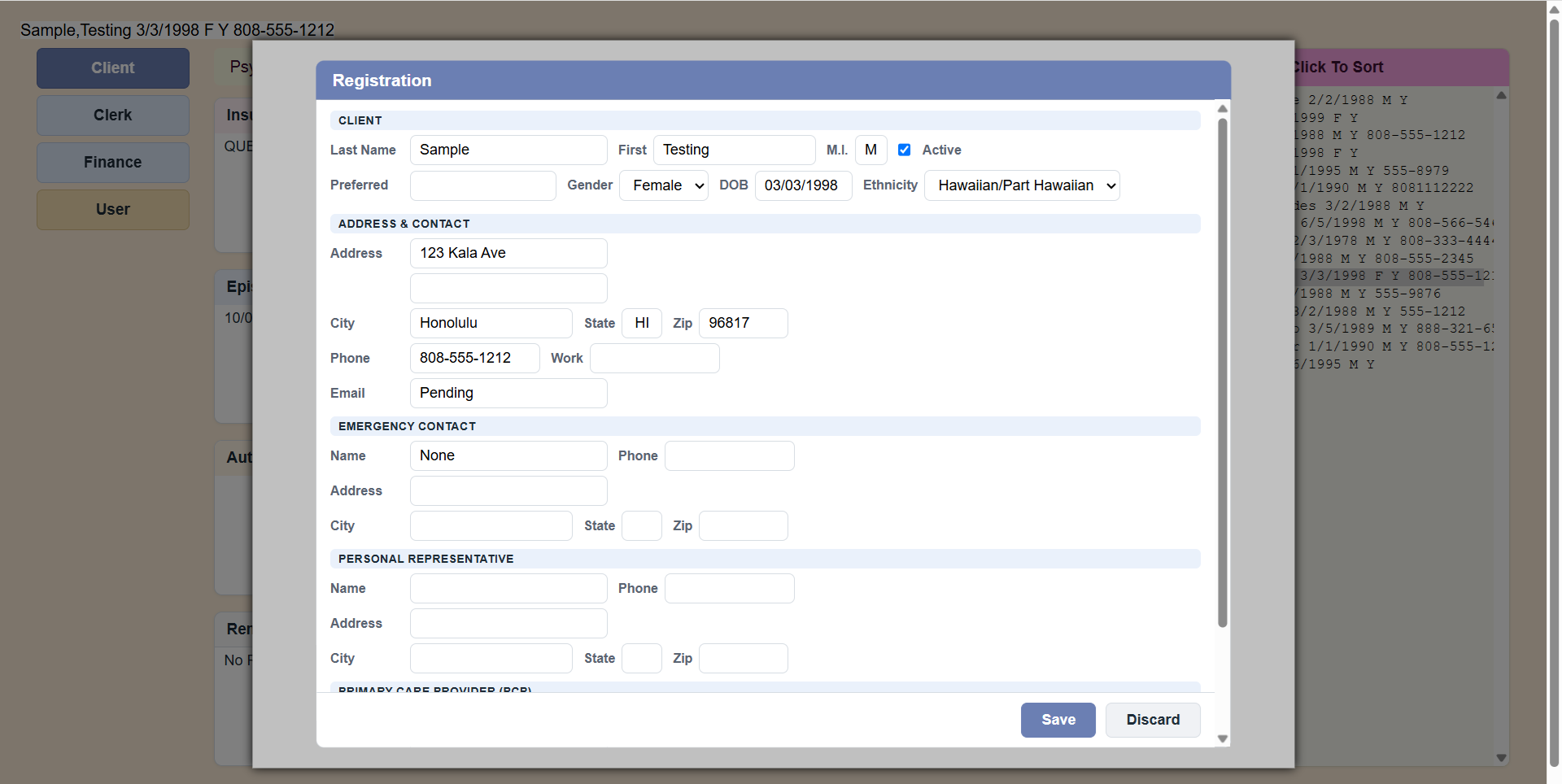 The Registration form. It opens over the main screen; scroll inside it for the Primary Care Provider section.
| Section | Fields |
|---|
| Client | Last Name, First, M.I., Active (ticked), Preferred name, Gender, DOB (birth date), Ethnicity. Category is shown when the client has one. |
| Address & Contact | Address (two lines), City, State, Zip, Phone, Work phone, Email. City, State and Zip start with your Service's defaults. |
| Emergency Contact | Name, Phone, Address, City, State, Zip. |
| Personal Representative | The same, for a guardian or legal representative. |
| Primary Care Provider | The same, for the client's doctor. |
PsyTrace checks
- Last Name and First Name: at least two characters each.
- A valid Birth Date.
- Address, City, State and a valid postal code — they are needed on insurance claims.
- Same Last Name + Birth Date as another client: you are asked before it is filed.
The insurance uses the registration. The insured's address, telephone, birth date and gender on the client's Insurance are always taken from the Registration. To correct them, correct the Registration ().
If you are assigned to a Category of clients, the new client is filed in your Category.