WhoEmployees with Finance access (set in System › Employees); reports need Financial Reports access
WhereThe button
FirstChoose the client, then click the Episode
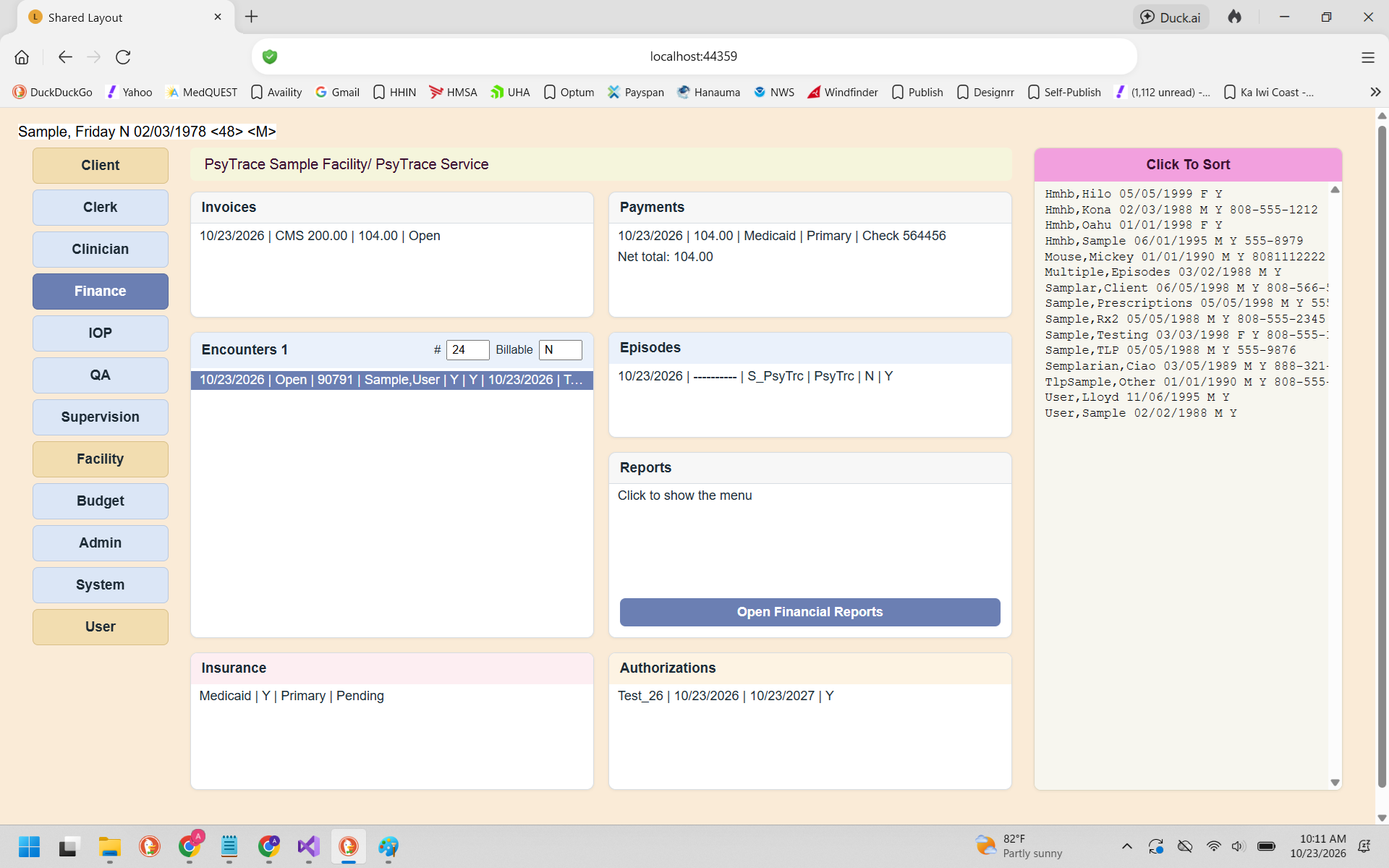 The Finance screen. Click any line of a list to open its menu.
Click the Episode: its Insurance, Authorizations and Encounters appear. Click an encounter: the Invoices list shows that encounter's invoices. shows all the client's invoices instead. An empty list still has one line ("Click to show the menu") so you can open its menu.
| List | Menu | Page |
|---|
| Invoices | Refresh · Payments · Close / Open · View · Mark Deleted · New ▸ · Print · Close All Client Invoices · Show All (including deleted) · Delete (Rollback) Invoice · Co-payments Letter | Invoices, Co-payments |
| Payments | Refresh · Delete (Rollback) Payment | Payments |
| Encounters | Refresh (Last 24) / Show All ▸ Billable Only, Billable and Not Billable · Edit / View Encounter · Remove From Invoice · Flag Not Billed · Flag Donated · Copy Encounter · HCFA (for Client) | Encounters (Finance) |
| Episodes | View Episode · Refresh | Episodes |
| Insurance | Refresh · New · Edit · View | Insurance |
| Authorizations | Refresh · New · Edit · View | Authorizations |
| Reports | Open Invoices · Encounters Not Billed · Payment / Submitted Claims / Submitted Not Paid Reports (HIPAA) · Open Financial Reports | Finance Reports |
Discharged Episode? Finance is not locked: you can still bill and post payments for its encounters.