WhoSystem and Clinician users; Admin users who are Providers
WhereThe button
FirstChoose the client; click the Episode (an only active Episode opens by itself)
About
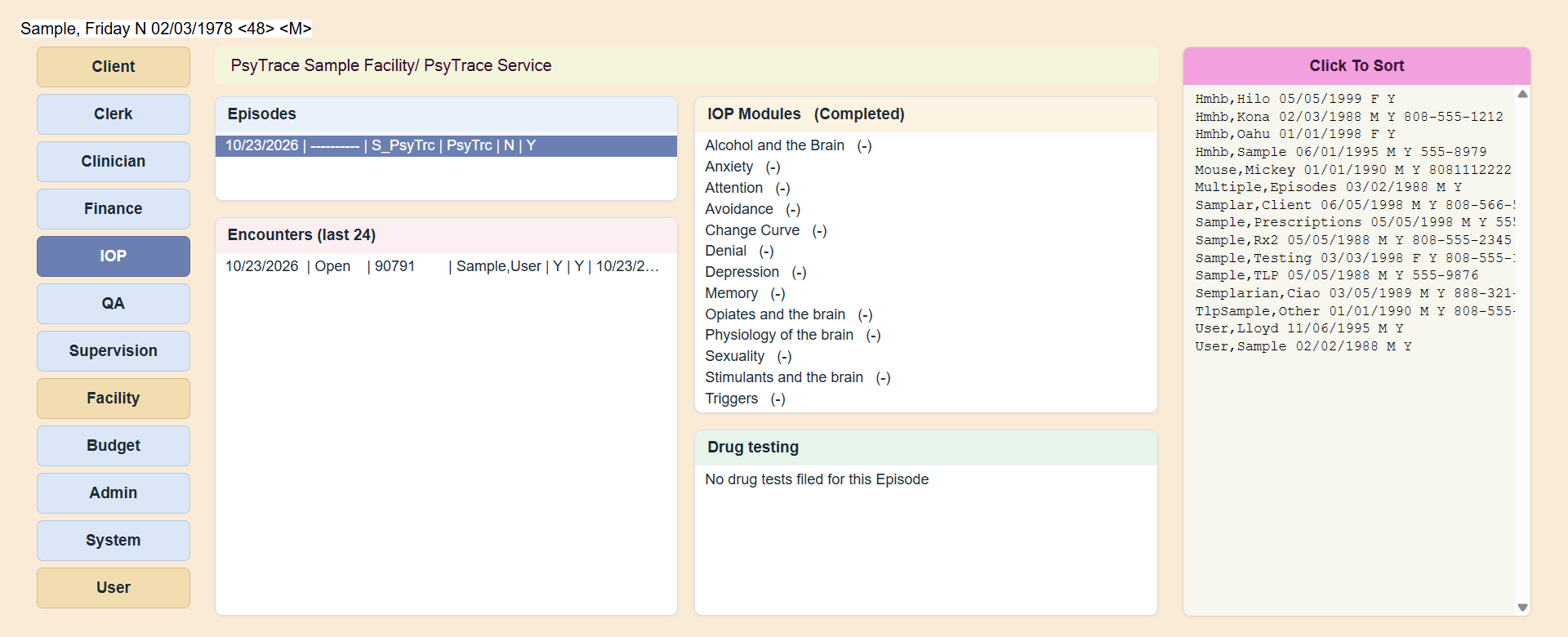
Click any line to open its menu. An empty list still has one line, so you can open its menu.
| List | Menu | Page |
|---|
| Episodes | View Episode | Episodes of Care |
| Encounters (last 24) | Refresh (Last 24 Encounters) · Show All Encounters · New · Copy · Edit · Close · View Encounter · Link Encounter to Module | Encounters, IOP Modules |
| IOP Modules (Completed) | Give Module to the Client · View Encounters Linked to Module · Flag Module as Completed · Refresh | IOP Modules |
| Drug testing | New Drug Test · View Drug Test · Enter Drug Test Results · View Drug Test Results · Refresh | Drug Tests |
The encounter form is the same as on the Clinician screen (Encounters).
PsyTrace checks
- New / Copy / Edit / Close Encounter, Give Module, Link, Flag Completed, New Drug Test and Enter Results are dimmed on a discharged Episode.
- Only Episodes of your own Service/Department.