WhoPrescribers (writing, renewing, faxing); clinicians view and print
WhereClinician screen › Medications list ›
You needYour own active eSignature ()
Not for controlled substances. PsyTrace prescriptions are for non-controlled medications only; every prescription asks you to confirm it.
Who may write prescriptions
Only employees marked Prescriber (a Provider with an NPI, set by the System administrator) who use the Clinician screen. You sign every prescription with your own eSignature and its PIN: record it once with .
A new prescription
- Click the Episode, then the Medications list › . The client's allergies are shown on top.
- Medication (any medication of the list), Dose / Units, Route, Frequency, For (a diagnosis of the Episode).
- Directions (up to 200 characters), Quantity, Refills (0-11), Substitution permitted (yes unless you untick it), the Pharmacy (or none: print only).
- Tick This is NOT a controlled substance, type your eSignature PIN, and click Sign and File.
PsyTrace files the prescription, adds the medication to the client's list (unless the client already takes it with the same dose and route), and makes the PDF: facility, prescriber with NPI, patient, allergies, the prescription with quantity and refills in numbers and words, pharmacy, and your signature. The PDF is kept with the client's images.
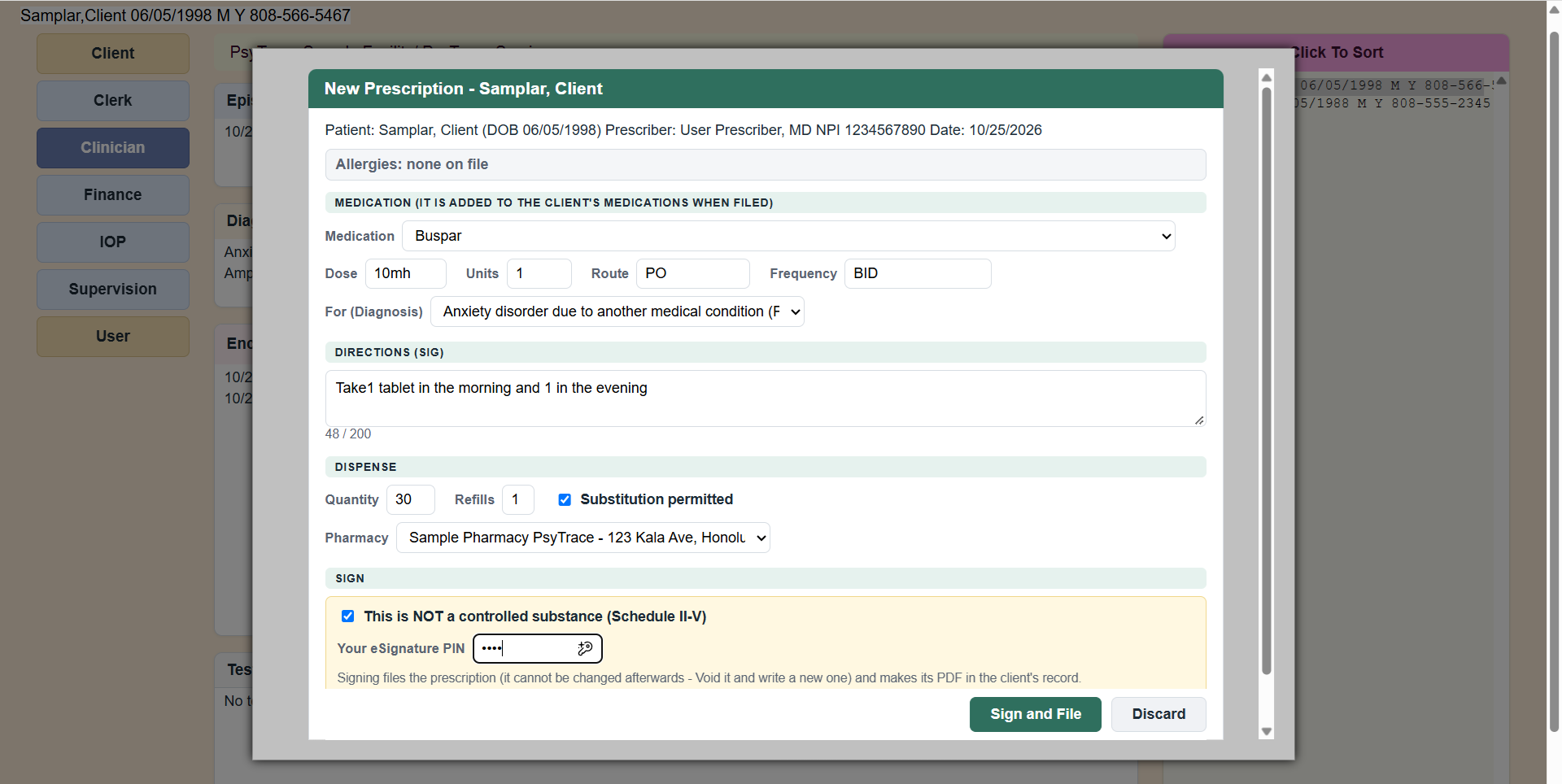 New Prescription: check the patient line and the allergies on top, then Sign and File with your PIN.
The other items
| Item | What it does |
|---|
| Renewal Prescription | Another prescription for one of the client's active medications, prefilled from its last prescription. |
| View / Print PDF | The newest prescription of the clicked medication: status (Signed, Printed, Faxed, VOIDED), Print, Download. For a faxed one it also tells whether the fax was delivered. |
| Fax to Pharmacy | Shows the two pages that will be sent — a cover sheet with no client data, and the signed prescription — then Send Fax. The prescriber may choose another pharmacy: the old prescription is voided and a new copy is signed (PIN) for the new pharmacy. Prescribers and System users. |
| Void Prescription | Cancels the prescription (the medication stays on the list; Discontinue it separately if needed). The prescriber or a System user. |
PsyTrace checks
- The PIN must be right; a signed prescription is never changed — void it and write a new one.
- Required: medication, dose and units, directions, quantity, the diagnosis, and the "not controlled" box.
- Fax: not for a voided prescription, nor without a pharmacy; the pharmacy's fax must be a valid 10-digit number ().
- Faxing twice asks first — the pharmacy could fill it twice.