WhoSystem and Clinician roles; Admin users who are Providers
WhereThe button
FirstChoose the client, then click the Episode
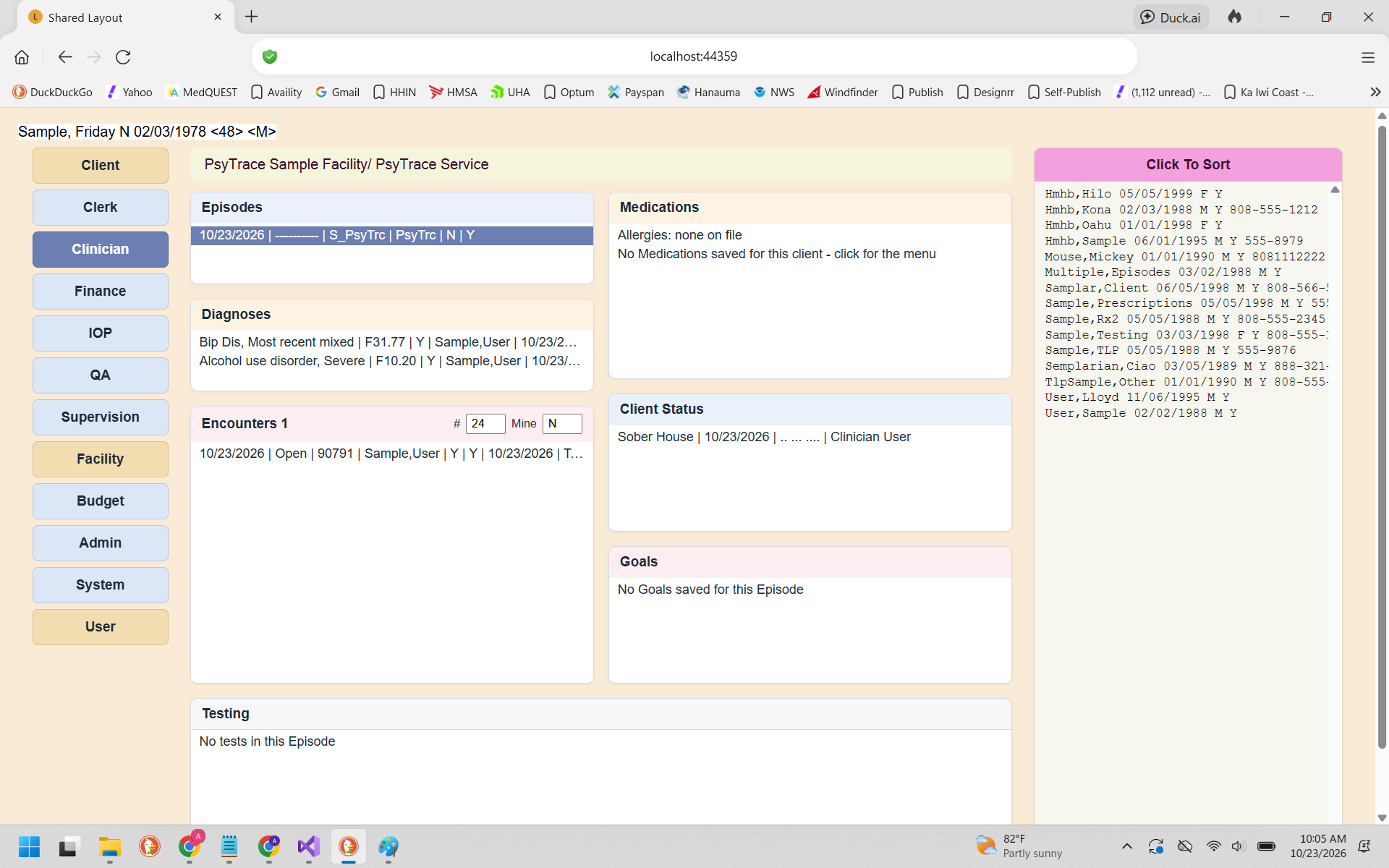 The Clinician screen. Click any line of a list to open its menu.
Everything on this screen belongs to the Episode of Care you click in the Episodes list (Medications and Allergies belong to the client). When the client has only one active Episode for your Service/Department, it opens by itself.
| List | Menu | Page |
|---|
| Episodes | Refresh · View Episode · Discharge ▸ Enter/Edit, View, Print (+ Undo Discharge for System users) | Discharge |
| Diagnoses | E/E/View Diagnoses (enter, edit, view) | Diagnoses |
| Encounters | View · View Audit Trail (changes) · Edit · New · Copy · Close · Authorization Counts | Encounters |
| Medications | Refresh · View / New / Edit / Discontinue Medication · Allergies · Prescription ▸ | Medications, Prescriptions |
| Client Status | View / Edit / New Client Status | Client Status |
| Goals | E/E/View Goals | Goals |
| Testing | View Testing · Enter Test Results · Edit Test Entered · Graph Testing | Testing |
The Encounters list
Above the list, # sets how many encounters are shown (24 by default) and Mine = Y shows only your own. The heading tells how many were found. Rest the mouse on a line to see its details: procedure, diagnosis, provider, supervisor, location, authorization, billed / paid.
Discharged Episode? It is locked: New / Edit / Copy / Close Encounter, New Medication and the other items that change it are dimmed. View items still work.