WhoEvery user
WhereClerk screen › Insurance list ›
Belongs toThe client (all Episodes)
About insurance
PsyTrace links each client with her/his insurance for billing. A client can have more than one insurance; each one is Primary, Secondary or Other, and active or inactive.
The insurance is linked to the authorization, and the authorization to the encounter. So when a clinician chooses the authorization of an encounter, she/he is also choosing the insurance to be billed. To bill another insurance, the encounter's authorization must be changed.
A Secondary insurance needs its own authorization, and each encounter must be linked to both: the primary authorization (the encounter's Authorization) and the secondary one (Finance › Edit Encounter › Secondary Insurance). Only then is the balance billed to the secondary and its payments posted to the right encounter — see Secondary insurance authorization. The member ID (ID#) must be the one on the secondary card.
Organizations that do not bill insurance still need one insurance per client: a stub ("None" / "N/A"). PsyTrace files it by itself for a new client when your Service/Department does not need a carrier.
For electronic claims (HIPAA 837) the insurance must be entered exactly as the carrier requires.
Entering an insurance
- Click a line of the Insurance list (or the No Insurance line) › . (For a new client the form opens by itself after the registration.)
- Carrier: type the first letters and click List; choose the insurance company. Tick Active.
- Policy: Status (Primary / Secondary / Other), ID# (the member / insured ID on the card), Effective date, Yearly Deductible.
- Insured: the Relationship of the client to the insured (List; "Self" when the client holds the policy), the insured's Name (leave it empty when the insured is the client), Employer, and Other Insured / Other Health Benefit if any.
- Click Save.
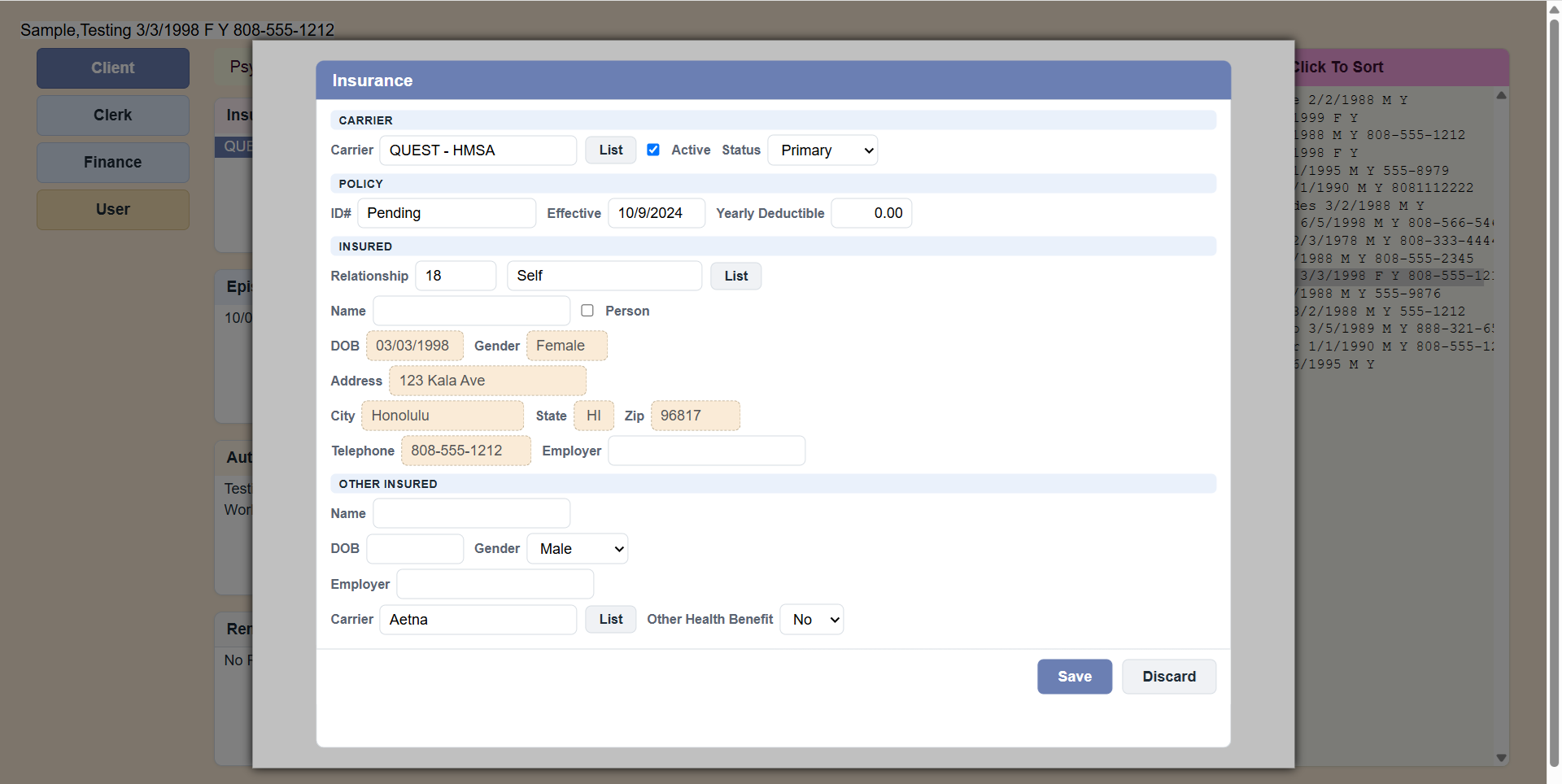 Sample Insurance form.
PsyTrace checks
- The insured's address, city, state, postal code, telephone, birth date and gender are read-only: they come from the client's Registration. If one is missing, PsyTrace says so — fix it in .
- When the insured is the client, the insured Name must be empty.
Changing insurance? Do not overwrite the old plan: make it inactive (Edit, untick Active) and enter the new one with New Insurance. The old claims keep pointing to the plan they were billed to.