WhoClinicians
WhereClinician screen › Diagnoses list ›
Belongs toThe Episode of Care
At least one diagnosis must be on file before encounters can be entered. Diagnoses also go on insurance claims: the first ones filed become Dx 1 to 4 of a CMS-1500 claim.
Entering a diagnosis
- Click the Episode, then the Diagnoses list (or No Diagnoses) › . The form has three parts: Find, Selected, and the Diagnoses for this Episode.
- Find Diagnosis: type a few letters of the Name (e.g. Cond) or of the Code, then press Enter or click the List next to it. PsyTrace searches your diagnosis table (upper or lower case does not matter) and lists the matches with their codes; choose one.
- Selected: the diagnosis, its code and Active appear. You can complete the wording (e.g. undiff → undifferentiated). Click Enter: it moves to the list below, ready to be filed.
- Repeat for other diagnoses, then click Save: everything in the list is filed together.
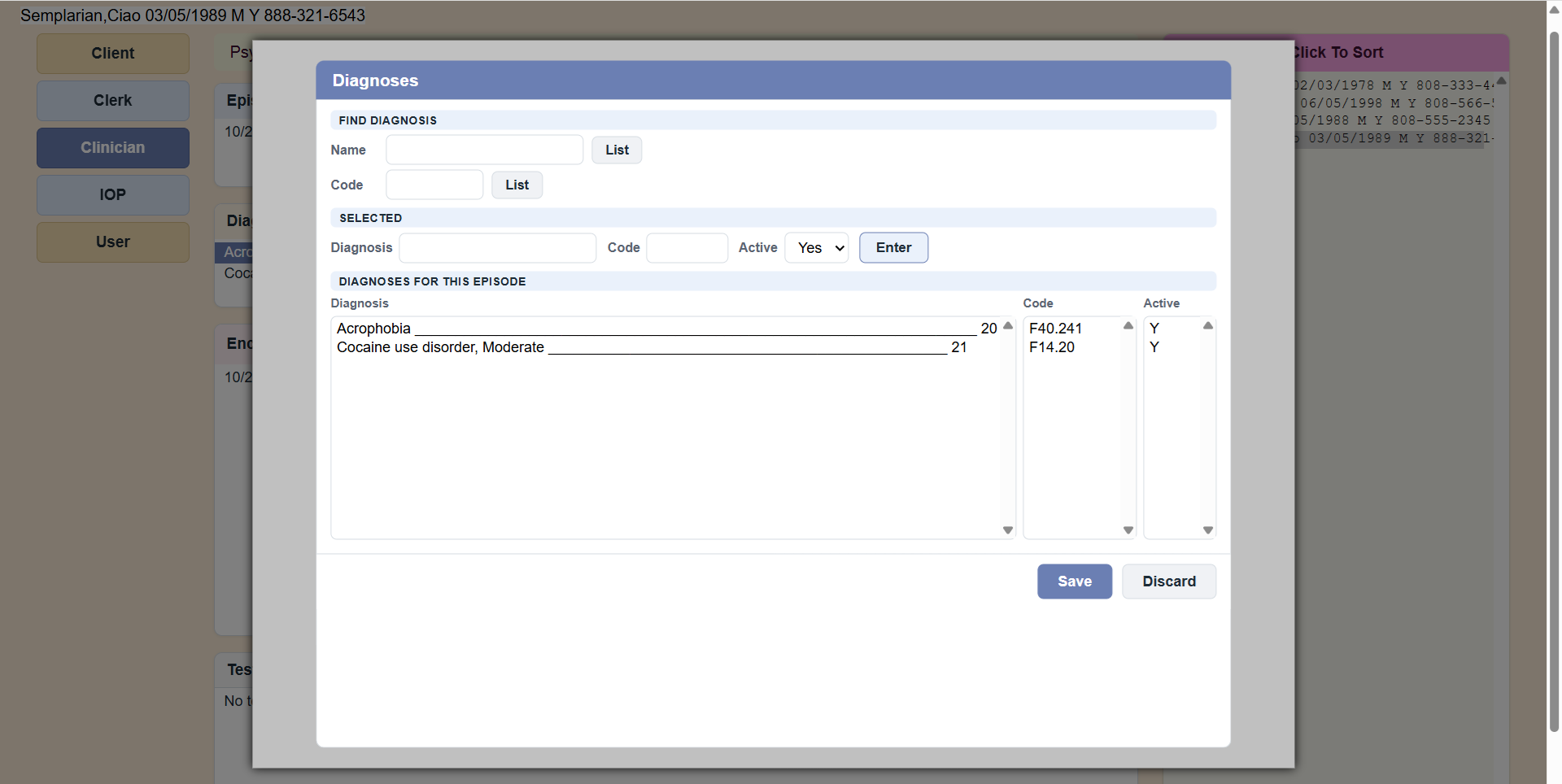 The Diagnoses form: find by name or code (List), Enter, then Save. The list shows each diagnosis with its code and Active.
A diagnosis that no longer applies
Diagnoses are never deleted; they are made inactive. The menu item is shown greyed: it is not yet in the web version.
The diagnoses offered come from the facility's diagnosis table (). If your facility does not follow a medical model, add one entry such as "Not Applicable", code 000, and give it to every client.
A discharged Episode is locked: the form opens to look at, without Enter and Save.