WhoEveryone with the Clinician screen
WhereClinician screen › Medications list
Belongs toThe client (all Episodes)
The Medications list
The first line shows the client's ALLERGIES (or "none on file"). Then every medication of the client, newest first: date, name, dose, units, route, frequency, (Active) or (Stopped date), and the prescriber (or "Outside prescriber"). A medication with a prescription ends with [Rx Signed / Printed / Faxed / VOIDED].
Recording a medication
- Click the Episode, then the Medications list › .
- Medication from the drop-down: its usual doses, units, routes and frequency are offered.
- Dose, Units, Route, Frequency, the Date, Refills (0-99) and For (a diagnosis of the Episode).
- Prescribed by: one of your Service's prescribers, or Outside prescriber — then write the prescriber's name in the Comment.
- Click Save. If the client already takes it (active), PsyTrace asks before filing it again.
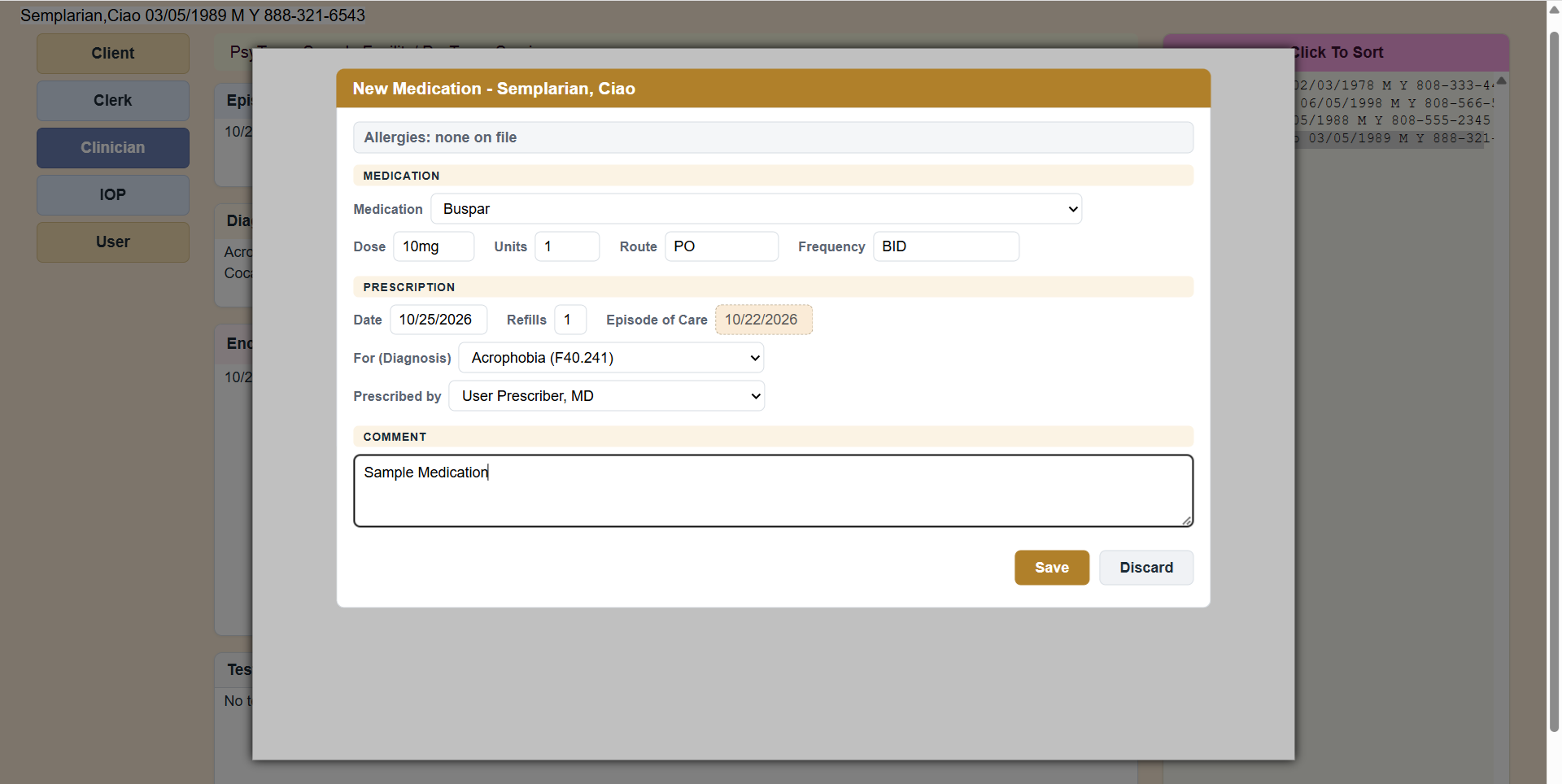 New Medication. The client's allergies are always shown on top.
The other items
| Item | What it does |
|---|
| View Medication | The medication, read-only, with a link to the medication's web site when there is one. |
| Edit Medication | Correct it — only who filed it, its prescriber or a System user, and only while no prescription was written for it. |
| Discontinue Medication | The client stops taking it: it is marked Stopped, with today's date and your name. Nothing is deleted. |
| Allergies | The client's allergies: add one (type it or pick a medication), or make one inactive. |
| Prescription ▸ | Write, renew, print, fax or void a prescription — see Prescriptions. |
| Refresh | Reload the list. |
PsyTrace checks
- Required: the Medication, the Date (not in the future, not before the Episode), For, and Prescribed by.
- New, Edit and Discontinue need the medication's Episode open (not discharged). Allergies are always open.