WhoEvery user, with the client in front of the computer
Where ▸ New / View / Make Inactive / Sign Document / View Documents Signed
Staff signaturesNot here:
How it works
The client first records an eSignature: her/his signature, drawn on the screen, plus a PIN only she/he knows. From then on the client signs a document by reading it and typing the PIN; PsyTrace files a signed copy with the date. You turn the screen toward the client; the client does the drawing and the typing.
1. Record the client's eSignature (once)
- Make sure the right client is on the main screen, then .
- The client signs inside the box with the mouse, a pen or a finger (touch screens and tablets). Clear erases it to start again.
- The client types a PIN / password and types it again in Confirm. It will be asked every time a document is signed.
- Click Save.
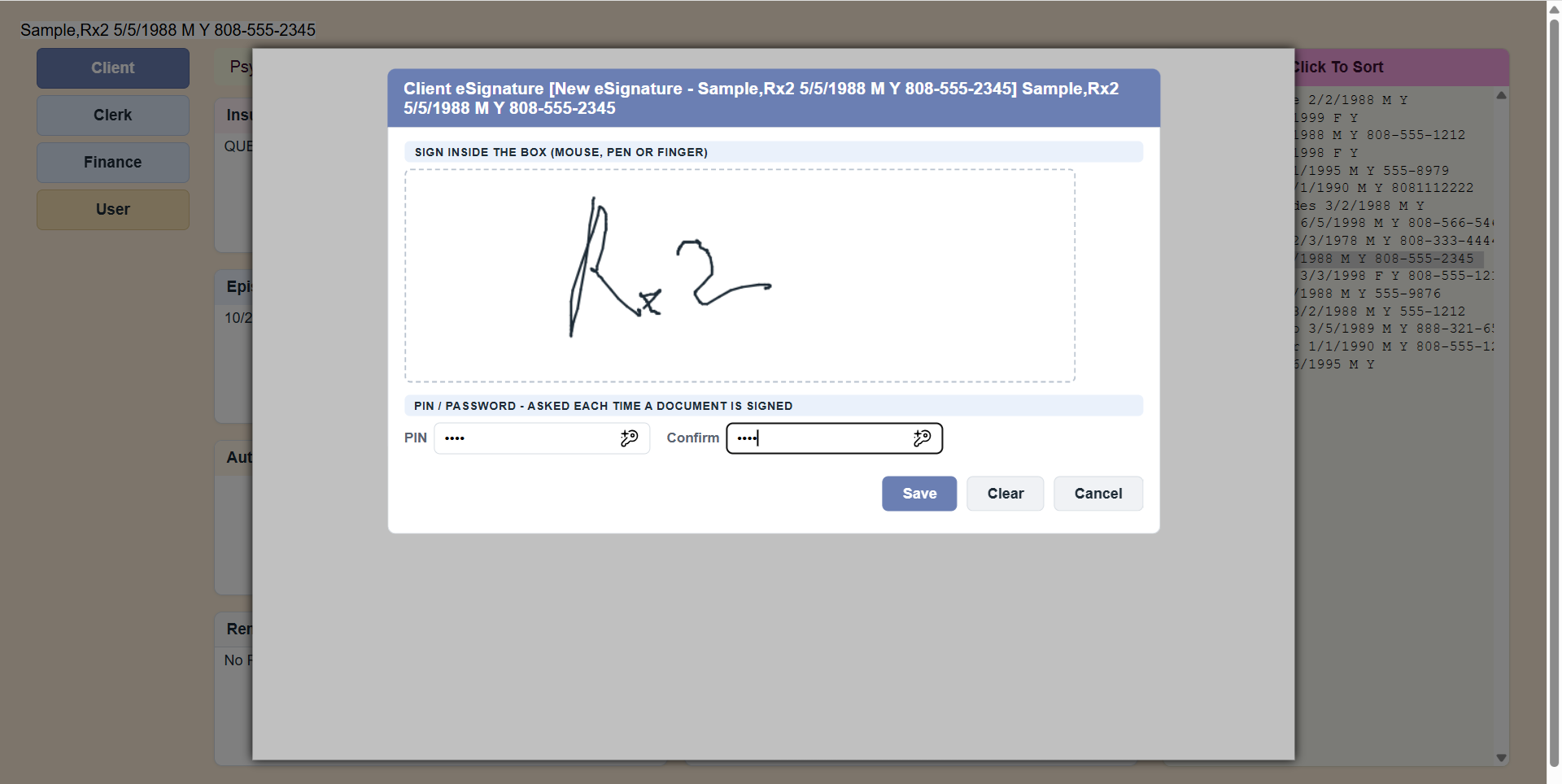 New eSignature: the client signs in the box and types the PIN twice.
2. Sign a document
- .
- Choose the document. Its text appears with the client's name, birth date, address and phone already filled in. If the client already signed it, PsyTrace shows when.
- The client reads it and types her/his PIN, then clicks Sign.
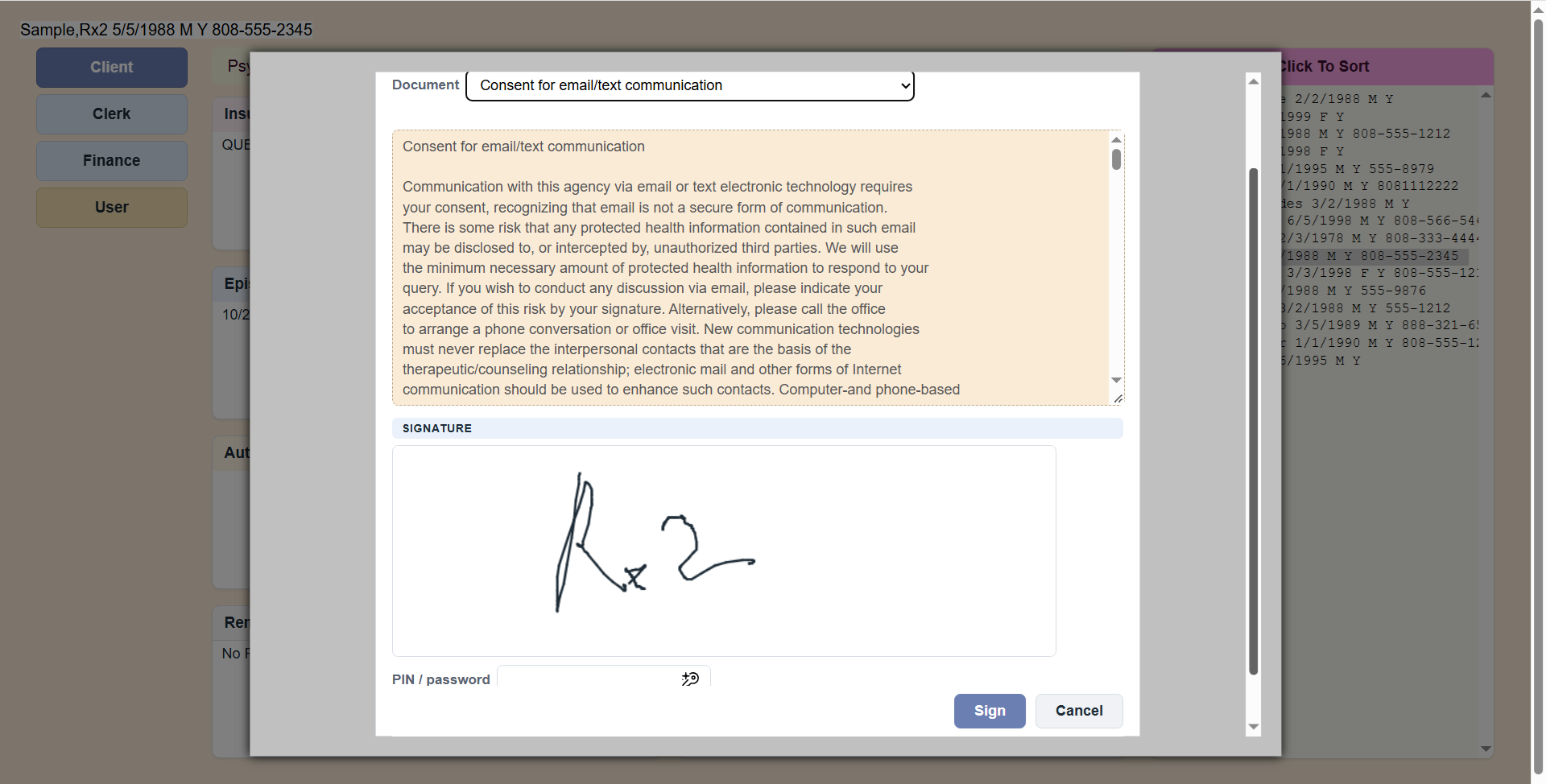 Sign Document: the client reads the document, sees her/his signature, types the PIN and clicks Sign.
The other items
| Item | What it does |
|---|
| View | The client's eSignatures (active and inactive), newest first. The PIN is never shown — not even to staff. |
| Make Inactive | Retires the current eSignature, for example when the client forgot the PIN. Then record a New one. |
| View Documents Signed | Every document the client signed, with the date; click one to read the signed copy. |
PsyTrace checks
- Only one active eSignature per client: make the current one inactive before recording a new one.
- The signature box cannot be empty; the PIN must be typed twice the same.
- A document is signed only with the right PIN.
Documents that must be signed again. Some documents are valid only for a time (for example 12 months). When you choose a client who has a required document not yet signed, expired, or expiring within 30 days, PsyTrace lists it in a notice — that is the moment to have the client sign it.
Which documents exist, and how long they stay valid, is set by the administrator (pre-defined documents).