WhoEvery user
WhereClerk screen › click the Episode, then the Client Status list › (also on the Clinician screen)
Belongs toThe Episode of Care
About client status
A Client Status is anything the facility wants to track about clients during an Episode: Drug Court, a smoking cessation group, pain management, marital counseling, ... A client can have several statuses at the same time, each with its own start and end date. The list shows them newest first (example).
Statuses also sort the Active Clients list: lists, for example, everybody currently in Drug Court.
Example: tracking Drug Court
- The administrator adds "Drug Court" to the client status lookup table (, L_ClientStatus) — once.
- Choose the client, click the Episode, then the Client Status list › .
- Status: choose Drug Court (List). Start: the start date; leave End empty.
- Manager & Location: who is responsible, and where.
- Note if needed, then Save. The manager receives a reminder when it is someone else.
- When the client leaves Drug Court: and enter the End date. The status is no longer current.
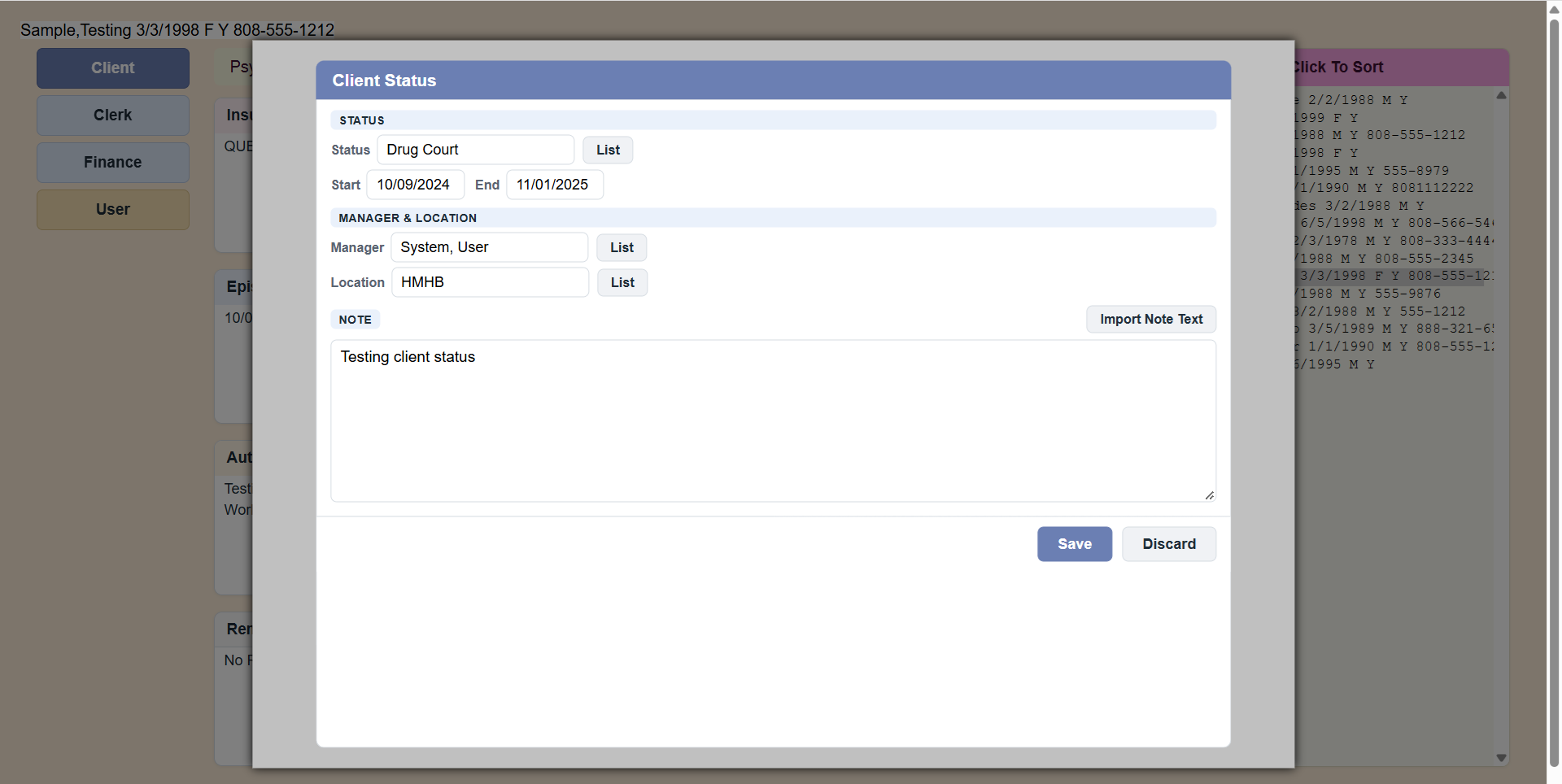 Sample Client Status form.
PsyTrace checks
- Required: the Status, a valid Start date and the Manager. An Episode must be selected.
- The Start date cannot be before the start of the Episode, nor after its discharge; the End date cannot be after the discharge.
- A discharged Episode is locked: New and Edit Status are dimmed.