WhoEvery user
WhereClerk screen › click the Episode, then the Authorizations list › (also on the Finance screen)
Belongs toThe Episode of Care
About authorizations
Many insurance companies require an authorization before treatment. PsyTrace links every encounter to an authorization — and through it to the insurance that is billed. Authorizations can also track workload inside an organization, e.g. the services contracted to another provider.
Organizations that do not need authorizations still give each Episode one, covering ALL procedures for a long period. When no authorization number is needed, we recommend using the carrier's abbreviation as the number (e.g. Medicare): the billing person then sees at once which carrier each encounter goes to.
Entering an authorization
- Click the Episode in the Episodes list, then a line of the Authorizations list (or No Authorizations) › . (For a new client it opens by itself after the Episode.)
- Number (the insurance's authorization number), Active, Status: Future, Submitted, Approved, Expired or Other. Tick Not Required when the carrier needs no authorization.
- Carrier: choose one of the client's insurance plans — this is who will be billed.
- Units authorized and CPT Codes (ALL, or only some procedures).
- Validity: Valid From and To.
- Agency & Form (when the authorization is requested from an agency): the Agency (List), the Form and its status, how and when it was submitted (Mail, Fax, Other), the agency's contact and phone, the Verification Code.
- Click Save.
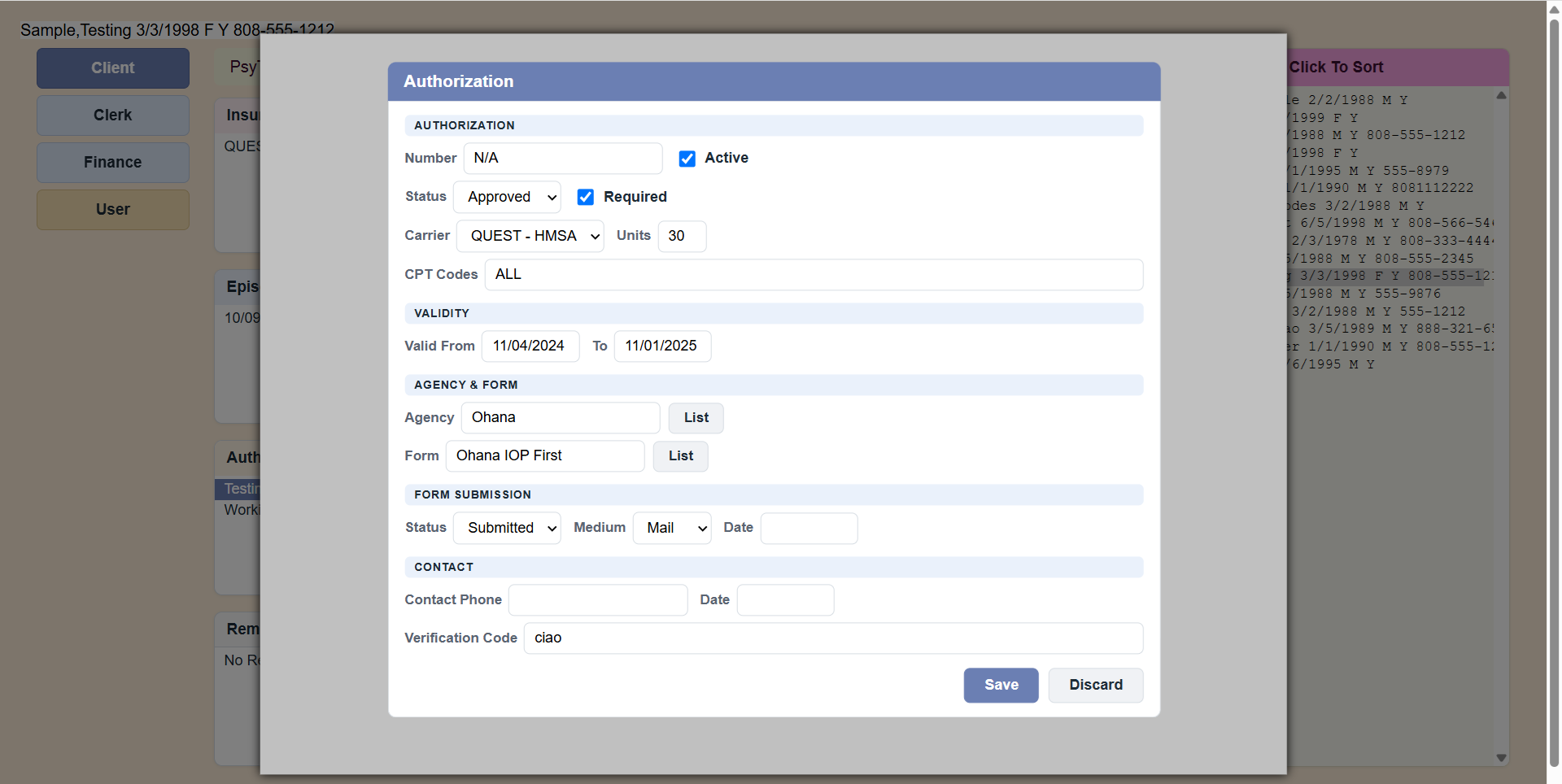 Sample Authorization form.
Secondary insurance authorization
When the client has a second insurance that pays what the first one does not, that insurance needs its own authorization, separate from the primary one:
- First make sure the client's second plan is on the Insurance list with Status Secondary (see Insurance).
- on the same Episode, and choose that Secondary plan as the Carrier. Number, Units, CPT Codes and dates as for any authorization (if the secondary carrier needs no authorization, tick Not Required and use its abbreviation as the number).
- Then link the encounters to it: Finance screen › Encounters › › Secondary Insurance (see Encounters (Finance)).
Each encounter must point to both authorizations — the primary one (the encounter's Authorization) and the secondary one (its Secondary Insurance). The carriers' payments are posted by matching them to these: a payment from the secondary insurance is posted only to an encounter linked to a secondary authorization of that insurance. An encounter without its secondary authorization is not billed to the secondary, and the secondary's payment for it is reported as not posted.
PsyTrace checks
- Required: an Authorization Number, the number of Units, the Begin (Valid From) and End (To) dates.
- A discharged Episode is locked: New and Edit Authorization are dimmed.
Clinicians see, for each encounter, which authorization it uses; on the Clinician screen shows how many authorized units are used and left.